

You are exploring Hyrule’s vast fields, the wind rustling through the grass and distant creatures calling. Or you are neck-and-neck on the final lap of Rainbow Road, engines roaring and items blasting. Your Nintendo Switch delivers stunning visuals, but are you missing half the adventure? The right home theater system can pull you directly into the game, turning a good session into an unforgettable experience.
This guide cuts through the noise to help you find the perfect audio upgrade for your Switch. We focus on systems that deliver clear dialogue, impactful bass for explosions, and precise spatial audio for locating enemies. Whether you prefer a simple soundbar or a full multi-speaker setup, our reviewed options ensure you hear every detail, from a treasure chest’s click to a boss’s roar.

Pros
- Extremely easy setup with most users reporting connection in under 5 minutes, including ARC TV remote compatibility
- 2-in-1 detachable form factor offers rare placement flexibility not found in most soundbars at this price
- Comprehensive connectivity with all required cables included in the box for ARC, Optical, and AUX hookups
- Auto Volume Boost feature effectively solves the common problem of fluctuating TV audio levels
- Strong value proposition with 80W output and multiple EQ modes at a sub-$50 price point
Cons
- Remote control does not include AAA batteries, which is an inconvenient omission that requires an extra purchase before first use
- ARC connection may require volume levels above 80% on some TV brands such as TCL Roku to achieve satisfactory loudness
- No wall-mount template is included in the box, making precise screw placement for wall installation more difficult
The Assistrust KY-8000 is a compact 80W soundbar designed for budget-conscious buyers who want a meaningful audio upgrade for their TV, PC, gaming setup, or projector. Priced well under $100, it targets everyday home theater users, renters, and students who need solid sound without a complex or expensive installation.
The standout feature here is the 2-in-1 detachable design, which allows the single 17-inch bar to split into two independent vertical tower speakers. This gives users a level of placement flexibility that is genuinely rare at this price tier. Combined with four high-performance dynamic drivers and 80W of output power, the soundbar produces noticeably fuller and more detailed audio than typical built-in TV speakers, with the Auto Volume Boost feature doing a commendable job of keeping dialogue audible without sudden loud spikes.
Build quality is respectable for the price, using a mix of recycled ABS plastic and metal components. The low-profile black finish looks clean and modern beneath most TVs, and at just under 3kg it is light enough to wall mount or reposition easily. The included remote provides straightforward control, and Bluetooth 5.0 ensures a stable wireless pairing experience across phones, tablets, and laptops.
There are a few genuine drawbacks worth noting. The remote ships without batteries, which is an unnecessary inconvenience. Some users on specific TV brands have reported that the ARC connection requires higher-than-expected volume levels to sound balanced. Additionally, no wall-mount template is provided, which complicates screw placement for those who want a clean wall installation.
Overall, the Assistrust KY-8000 is a compelling pick for anyone seeking an affordable, flexible, and easy-to-use soundbar upgrade. It punches above its weight in features and sound quality, and the comprehensive warranty and support package add meaningful peace of mind. Minor packaging omissions aside, this is one of the better budget soundbars available today.
Model: Assistrust KY-8000 | Speaker Output: 80W | Audio Channels: 2.0 Stereo | Drivers: 4 Dynamic Drivers | Frequency Response: up to 20 kHz
Connectivity: Bluetooth 5.0, HDMI ARC, Optical (Toslink), 3.5mm AUX | Power Source: AC Adapter (100V input) | Control: Included Remote Control
Dimensions: 17 inches (L) x 3.5 inches (W) x 2.5 inches (H) | Weight: 2.97 kg | Color: Black | Enclosure: 60% Recycled ABS, 25% Metal, 15% Other
Mounting Options: Tabletop, Horizontal, Vertical, Wall Mount | Compatible Devices: Smart TV, PC, Laptop, Smartphone, Tablet, Projector, Home Theater | EQ Modes: Movie, Music, News
In the Box: 1x Detachable Soundbar, 1x Power Adapter, ARC Cable, Optical Cable, 3.5mm AUX Cable, 1x Remote (batteries not included), 2x Bases | Warranty: 18-Month Limited plus 60-Day Replacement Policy
If you are shopping for a soundbar under $50, the most important factors to consider are connectivity options, ease of setup, and whether the form factor fits your space. The Assistrust KY-8000 excels in all three areas, making it a strong default choice for most casual buyers in this price range.
For TV users, the HDMI ARC connection is the most convenient option as it allows your existing TV remote to control the soundbar volume. Before purchasing, confirm that your TV has an ARC-labeled HDMI port. If not, the included Optical or AUX cables provide reliable wired alternatives. Bluetooth 5.0 is ideal for wireless use with phones or tablets, or for moving the speaker to a different room temporarily.
The 2-in-1 detachable feature is a genuine differentiator. If you have a wide TV setup or a gaming room where you want stereo separation, splitting the bar into two vertical towers can meaningfully improve the sense of audio width and immersion. This makes the KY-8000 a smarter buy than a similarly priced traditional single-bar unit.
Consider this soundbar if you need: an affordable first soundbar upgrade, a secondary room audio solution, a soundbar for a dorm or small apartment, or a gaming audio boost for a PC or console setup. It is less ideal for dedicated audiophiles or home theater enthusiasts who prioritize deep bass, as there is no subwoofer included or subwoofer output port.
Remember to pick up a pack of AAA batteries before your soundbar arrives, as they are not included with the remote. Also note that wall mounting will require you to measure and mark screw positions manually since no mounting template is provided in the box.
Choosing Your Home Theater System for the Switch
Sound Configuration and Immersion
The channel count defines your soundscape. A 2.1 system offers a solid stereo image with added bass. For true immersion, a 5.1 or 7.1 system with dedicated surround speakers places you inside the game’s world. This lets you hear footsteps approaching from behind or ambient sounds filling the room.
Look for systems supporting Dolby Atmos or DTS:X if your content allows. These formats create a three-dimensional soundscape, making effects like arrows whizzing overhead feel remarkably real. For a comprehensive audio experience, explore our guide on the best home theater systems with DTS.
Connectivity and Low Latency
Your Nintendo Switch connects via HDMI ARC or an optical cable when docked. Ensure your chosen system has the corresponding input for a clean, single-cable setup. Bluetooth is excellent for wireless music streaming between gaming sessions.
Low audio latency is non-negotiable for gaming. A delay between your button press and the corresponding sound can break immersion and hurt performance. Many modern soundbars and AV receivers feature dedicated gaming modes that minimize this lag, keeping audio perfectly synced with the on-screen action.
Room Size and Speaker Placement
Consider your gaming space. A massive system with a powerful subwoofer might overwhelm a small bedroom, while a modest soundbar could get lost in a large living room. Wireless rear speakers and subwoofers offer flexible placement without tripping over cables.
Some systems feature room calibration technology. This automatically adjusts the sound output based on your room’s acoustics and speaker positions. It ensures you get the best possible audio regardless of your furniture layout, making setup much simpler.
Extra Features for Gamers
Voice enhancement technology is a game-changer. It boosts dialogue frequencies, making in-game conversations and NPC instructions clear even during chaotic battles. Night modes compress dynamic range, allowing you to enjoy full-range audio at lower volumes without disturbing others.
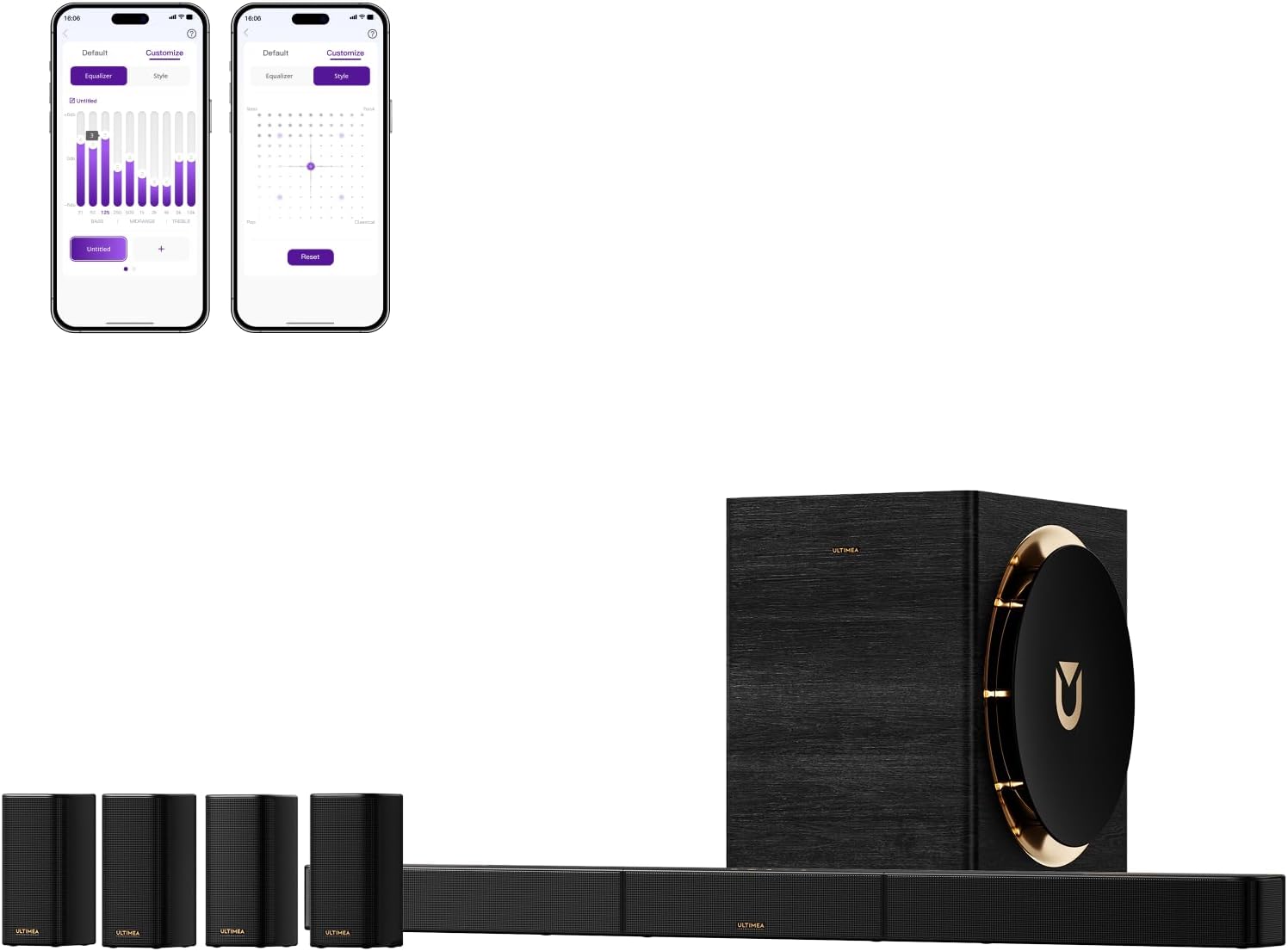
Dedicated sound presets can optimize audio for different genres. A ‘Game’ mode might enhance footsteps and spatial cues, while a ‘Music’ mode enriches the soundtrack. Companion apps offer granular control, letting you fine-tune the sound profile to your personal preference. For more options tailored to console gaming, see our review of the best home theater systems for PS5.
Final Thoughts
Upgrading your Nintendo Switch’s audio is a surefire way to deepen your gaming immersion. For a premium, all-in-one cinematic experience with wireless surround speakers, the TCL S65K S Series 5.1 Channel Soundbar System is an excellent choice. If you seek exceptional value and clear, powerful sound from a compact setup, the Saiyin Sound Bar with Subwoofer delivers impressive performance. Explore all our top picks to find the perfect system that makes every gaming session sound as good as it looks.
Frequently Asked Questions
Can I use any home theater system with my Nintendo Switch?
Yes, most modern home theater systems are compatible. The Nintendo Switch dock outputs audio via HDMI ARC and optical connections. Ensure the system you choose has one of these inputs for the simplest setup. Bluetooth can also be used for audio, though it may introduce slight latency.
Is surround sound important for Nintendo Switch games?
While not all Switch games support advanced surround sound codecs, a multi-channel system significantly enhances immersion. It creates a wider, more enveloping soundstage. This makes open-world environments feel vast and helps with audio cues in competitive games, allowing you to pinpoint the direction of sounds more accurately.
What is the simplest setup for better Switch audio?
A 2.1 channel soundbar with a wireless subwoofer offers the most straightforward upgrade. It requires minimal cables, usually just a single HDMI connection from the Switch dock to the soundbar, and then to your TV. This setup provides much clearer dialogue and more powerful bass than TV speakers alone. For a broader look at simple audio solutions, check our home audio sound bars category.
How do I reduce audio lag when gaming?
First, use a wired connection like HDMI ARC or optical instead of Bluetooth whenever possible. Many sound systems feature a specific ‘Game’ or ‘Low Latency’ mode in their settings. Enabling this bypasses unnecessary audio processing, synchronizing the sound directly with your gameplay. Always consult your system’s manual for the optimal settings in 2026.




Write Your Review
No reviews yet. Be the first to share your experience!