

Every iPhone since the iPhone 7 has shipped without a headphone jack, which means wired headphones, car aux cords, and home stereo cables all need a small converter. The Best Audio Adapters for iPhone fall into two groups: Lightning adapters for the iPhone 14 and earlier, and USB-C adapters for the iPhone 15 and later. Each one contains a tiny DAC that turns the phone’s digital output into an analog signal your headphones or speakers understand.
This guide is for iPhone owners who want to keep using wired headphones, plug into a car or home stereo, or use a headset with a microphone for calls. We compared port type, named iPhone compatibility, published DAC specs, inline remote and microphone support, build, and warranty. More connectors are in our cables and adapters section, under headphones and earbuds accessories.
How We Picked
The first filter is the port: an adapter must match your iPhone’s Lightning or USB-C connector, so we checked each listing’s named model range. We then compared what the adapter supports beyond music, such as microphone pass-through, call answering, and volume buttons, along with stated limitations around Apple EarPods. Published DAC resolution, construction materials, pack size, and warranty terms rounded out the comparison.
We based these picks on published specifications and product details, not on in-house measurements. MFi certification is reported as each third-party seller states it.
The Picks at a Glance
Apple USB-C to 3.5mm Headphone Jack Adapter
Apple’s own adapter (model MW2Q3AM/A) is the straightforward choice for USB-C iPhones. Apple lists the iPhone 15, 16, and 17 families, the iPhone Air, the 16e and 17e, plus a long run of USB-C iPads and MacBooks. The listing is brief and publishes no DAC resolution. See the Apple USB-C to 3.5mm Adapter.
- Pros: Made by Apple, with the widest list of named Apple devices.
- Pros: One adapter covers iPhone, iPad, and Mac.
- Cons: Single adapter, no spare.
- Cons: No DAC specification or warranty detail in the listing.
Ucaca Lightning to 3.5mm Adapter (2-Pack)
Ucaca’s white Lightning dongles are listed as MFi certified and support up to 24-bit/48kHz output. Named compatibility runs from the iPhone 5 through the iPhone 14 family. The pack holds two, and the seller offers a 36-month warranty. View the Ucaca Lightning Adapter 2-Pack.
- Pros: Two adapters, one for home and one for the car.
- Pros: Longest warranty term among the Lightning picks.
- Cons: Listing does not say whether calls or inline controls work.
Phoie USB-C to 3.5mm Adapter (2-Pack)
Phoie’s two-pack targets USB-C iPhones and Android phones. It lists a 48kHz DAC, a 92dBFS signal-to-noise ratio, and a voice noise reduction feature for calls, and it supports answering calls, pausing, and volume from compatible headphones. Phoie notes that EarPods volume buttons do not work. The adapter is a one-piece design, and the listing mentions a 2-year warranty. See the Phoie USB-C Adapter 2-Pack.
- Pros: Call and remote support with a published SNR.
- Pros: Two adapters per pack.
- Cons: EarPods volume control not supported.
- Cons: Warranty is listed as both lifetime and 2 years.
UGREEN Lightning to 3.5mm Adapter
UGREEN’s grey adapter is listed as MFi certified and supports up to 24-bit/48kHz with inline controls. It stands out for build, combining an aluminum alloy case with a nylon-braided cable. UGREEN names iPhone models from the iPhone 7 and second-generation SE through the 14 family, iPod touch, and Lightning iPads, and warns it will not fit the iPad mini 6 or USB-C iPad Pro. Check the UGREEN Lightning Adapter.
- Pros: Metal housing and braided cable.
- Pros: Inline control support.
- Cons: Single adapter per pack.
- Cons: No microphone support stated for calls.
JSAUX USB-C to 3.5mm Adapter
JSAUX is a compact grey dongle for the iPhone 15, 16, and 17 lines plus many Android phones. Its DAC handles up to 16-bit/48kHz, the strain relief is rated for 15,000+ bends, and the wire is shielded. Headphone buttons can handle calls, volume, and pause, though JSAUX says EarPods microphone and volume features are not supported, and the jack follows the CTIA standard. Find it on the JSAUX USB-C Adapter page.
- Pros: Clear notes on what works and what does not.
- Pros: Published bend rating and shielded wire.
- Cons: Not compatible with OMTP headsets.
- Cons: EarPods mic and volume do not work.
Htrence USB-C to 3.5mm Adapter (2-Pack)
Htrence’s white two-pack names the iPhone 15, 16, and 17 along with Galaxy, Pixel, and MacBook models. It supports microphone use, volume, and play and pause through wired controls. The listing mentions enameled copper wire, a 10,000+ bend rating, and a 1-year warranty. Compare it via the Htrence USB-C Adapter 2-Pack.
- Pros: Microphone and inline controls supported.
- Pros: Two adapters.
- Cons: No DAC resolution published.
- Cons: Housing is described as both aluminum alloy and ABS.
Sampop Lightning Adapter with Microphone (2-Pack)
Sampop focuses on headset users with Lightning iPhones from the 7 through the 14 family. It supports TRRS accessories, so play and pause, track skipping, call handling, Siri, and FaceTime work from the headset; Apple headphone volume must be changed on the phone or via Siri. It lists a 24-bit/48kHz DAC, a rating of 15,000 plug cycles and bends, and 3-year replacement or refund support. See the Sampop Lightning Adapter.
- Pros: Broadest headset feature list among the Lightning picks.
- Pros: 3-year support term.
- Cons: Apple headphone volume buttons need a workaround.
- Cons: Some marketing claims, such as noise cancellation, go beyond what an adapter can do.
Seulliya Lightning to 3.5mm Adapter (2-Pack)
Seulliya’s listed MFi adapters are meant purely for listening: the maker says calls are not supported. A reinforced TPE casing carries a rating of 28,000+ bends, the highest here, and the pair suits a home and car split. View the Seulliya Lightning Adapter 2-Pack.
- Pros: Highest published bend rating.
- Pros: Two adapters.
- Cons: Music only, no call support.
- Cons: The quoted 26-bit output is not a standard figure, which weakens the spec sheet.
What to Look For in an iPhone Audio Adapter
Lightning or USB-C
Look at your iPhone’s charging port. The iPhone 15 and later use USB-C; earlier models without a headphone jack use Lightning. A Lightning-to-USB-C chain of adapters is a poor substitute for the right one. Our Lightning audio adapters roundup goes deeper on older models.
Calls and remote buttons
If you take calls on wired headphones, choose an adapter that explicitly supports a microphone. Several USB-C dongles state that EarPods buttons will not work, so check the notes if you use Apple’s wired earbuds.
One adapter or two
Dongles are small and easy to lose. A two-pack lets you leave one in the car and one with your headphones. If you also use a Mac, see our audio adapters for Mac guide.
Connecting to a stereo
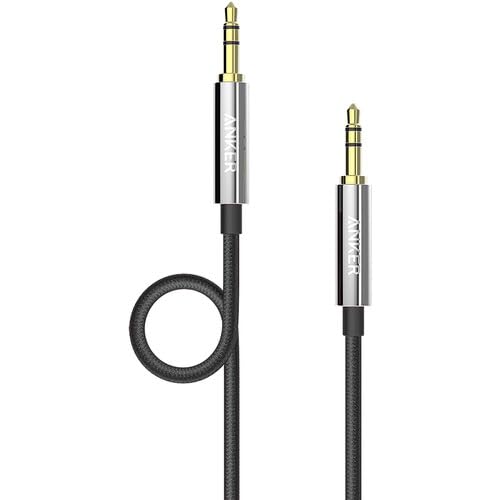
Any of these adapters can feed a home stereo when paired with a cable. Our 3.5mm to RCA cables guide covers the second half of that connection, and audio cables for headphones helps if your headphone cord is the weak link.
Who Should Skip These
Skip these if you mostly listen on Bluetooth headphones or AirPods, since none of these adapters is needed for wireless listening. Skip them too if you need to charge while listening, because none of the listings describe a charging port. And if you are chasing high-resolution playback with demanding headphones, a dedicated portable DAC and headphone amplifier will do more than a basic dongle.
Final Thoughts
For a USB-C iPhone, Apple’s adapter is the simplest choice, while JSAUX and Phoie add published specs and call support, and Htrence offers a mic-capable two-pack. For Lightning iPhones, UGREEN has the sturdiest build, Sampop is the pick for headset calls, Ucaca brings a long warranty, and Seulliya suits music-only listening. Matching the port is the step that matters most when choosing among the best audio adapters for iPhone.
Frequently Asked Questions
Which adapter works with the iPhone 15 and later?
A USB-C to 3.5mm adapter. Apple, Phoie, JSAUX, and Htrence all name iPhone 15 or newer models in their listings.
Will my EarPods buttons work?
Not always. Phoie and JSAUX state that EarPods volume control is not supported, and Sampop says Apple headphone volume must be changed on the phone or with Siri.
What does MFi certified mean?
MFi is Apple’s licensing program for accessories that connect to Lightning. Certified adapters are less likely to trigger an unsupported accessory warning after iOS updates.
Can I use these in the car?
Yes, if your car has a 3.5mm aux input. Plug the adapter into the phone and run a standard aux cable to the car.



Write Your Review
No reviews yet. Be the first to share your experience!