

Your sleek, modern laptop offers powerful performance but often sacrifices a critical port: the 3.5mm audio jack. Without it, your favorite wired headphones, gaming headset, or external microphone become instantly useless. This common frustration leaves you searching for a simple, reliable solution to restore your audio connection.
Our guide focuses on the best audio adapters designed specifically for laptop users. We have evaluated compact USB sound cards that add missing ports and specialized splitters that solve compatibility issues. Whether you need to fix a broken jack, connect a professional headset for online meetings, or simply use classic headphones, one of these adapters will provide the seamless audio experience you deserve.
Buying Guide
Connection Type: USB vs. Splitter
The primary decision is between a USB audio adapter and a headphone splitter. A USB adapter, like the Plugable USB Audio Adapter Adds 3.5mm Speaker, creates a new audio interface for laptops that lack any audio port. It acts as an external sound card.
A splitter, such as the UGREEN Headphone Splitter for Computer 3.5mm, solves a different problem. It allows a headset with a single combo jack to connect to a laptop with separate microphone and headphone ports. Choose based on your laptop’s existing hardware and your headset’s plug type.
Audio Quality and DAC Chip
Not all adapters simply pass a signal. Many incorporate a Digital-to-Analog Converter (DAC) chip to enhance sound. Products like the UGREEN UGREEN USB Sound Card Adapter with TRS highlight this feature for high-fidelity audio.
A quality DAC can reduce noise and support higher resolution audio, up to 16-bit/48kHz in many models we reviewed. This is crucial for clear voice calls, immersive gaming, and enjoying music. For more on high-quality audio connections, explore our guide on the best audio cables for music production.
Compatibility and Plug-and-Play Setup
Your adapter must work with your operating system without hassle. Most modern USB adapters are driverless for Windows, macOS, Chrome OS, and Linux. The SABRENT USB External Stereo Sound Card Adapter is a standout for broad OS support.
Also, confirm connector standards. Most adapters support the prevalent CTIA headphone jack layout, but some older devices use OMTP. Using the wrong standard can render your microphone inactive. Always check your headset’s specifications against the adapter’s listed compatibility.
Build Quality and Portability
Since this adapter may live in your laptop bag, durability matters. Look for robust materials like aluminum housings and nylon-braided cables, features noted in the MOSWAG USB to 3.5mm Jack Audio Adapter External. A compact, lightweight design prevents strain on your laptop’s USB port.
For gamers who need reliable gear, a sturdy adapter ensures your gaming audio setup stays connected during intense sessions. A well-built adapter from a reputable brand offers peace of mind and a longer lifespan for your daily driver.
Final Thoughts
Finding the right audio adapter restores full functionality to your laptop and elevates your listening experience. For most users seeking a straightforward, plug-and-play solution to add a missing audio port, the Plugable USB Audio Adapter Adds 3.5mm Speaker is an excellent, reliable choice from a trusted brand. If your challenge involves connecting a modern gaming headset to a laptop with separate mic and audio jacks, the specialized UGREEN Headphone Splitter for Computer 3.5mm will seamlessly bridge that gap. Explore all our top picks to find the perfect match for your setup.
Frequently Asked Questions
Will a USB audio adapter improve my laptop’s sound quality?
It can. If your laptop’s built-in audio circuitry is poor or damaged, a USB adapter with a built-in DAC chip acts as a new, external sound card. Models like the UGREEN and MOSWAG adapters are designed to output cleaner, higher-fidelity audio than some basic motherboard audio, which is especially noticeable with quality headphones.
Are these adapters compatible with gaming consoles like PS5?
Yes, many USB audio adapters are compatible with PlayStation 5 and PS4, as noted in the specifications for adapters like the biaze USB Audio Adapter USB Sound Card. They provide a way to use standard 3.5mm gaming headsets with the console’s USB port. Always verify the product description for explicit console support before purchasing.
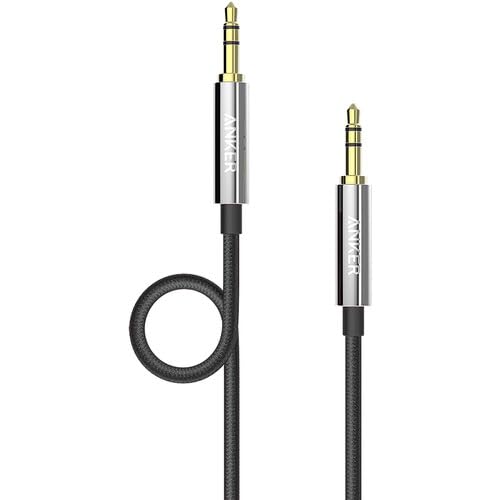
What’s the difference between a USB audio adapter and a simple 3.5mm extension cable?
An extension cable merely lengthens an existing connection. A USB audio adapter creates a completely new audio interface. If your laptop has no working audio jack, an extension cable is useless. The USB adapter solves the root problem by adding the port itself, functioning as an essential piece of hardware for modern, port-limited devices.
Can I use these adapters with my phone or tablet?
Most USB audio adapters in this roundup are designed for computers and consoles, not directly for phones. For mobile devices, you typically need an adapter with a different connector, like USB-C or Lightning. For that purpose, we recommend checking our dedicated guide for the best audio adapters for android devices and other mobile solutions.



Write Your Review
No reviews yet. Be the first to share your experience!