

If your computer’s built-in sound leaves you craving more detail and depth from your high-resolution music files, you are not alone. The digital-to-analog converter, or DAC, inside most PCs and laptops is often an afterthought, creating a bottleneck for your premium headphones or speakers. This guide is for music lovers and audiophiles ready to bridge that gap, transforming their desktop into a true high-fidelity listening station. We have assessed nine standout desktop DACs, ranging from compact budget options to feature-rich flagship models, to help you find the perfect match for your setup and unlock the full potential of your audio collection.
Whether you need a simple USB DAC to clean up your PC’s audio, a versatile hub with balanced outputs and Bluetooth, or a dedicated preamp for a serious stereo system, there is a solution here. Our selection focuses on performance, connectivity, and real-world usability. For those exploring different form factors, our guide on the best compact DAC-AMPs offers excellent portable alternatives.

Pros
- Exceptional audio quality with natural, balanced sound across all frequencies
- Versatile connectivity options support PC, Mac, phones, tablets, and TVs
- Audiophile-grade components and precision circuit design in a compact form factor
- USB bus-powered design eliminates need for separate power adapter
- Ranked #65 in Digital-Analog Converters category, proving its market credibility
Cons
- Windows users must install drivers for full functionality, adding setup complexity
- New product with no customer reviews yet, limiting real-world user feedback
- Premium pricing for desktop DAC category may be steep for casual listeners
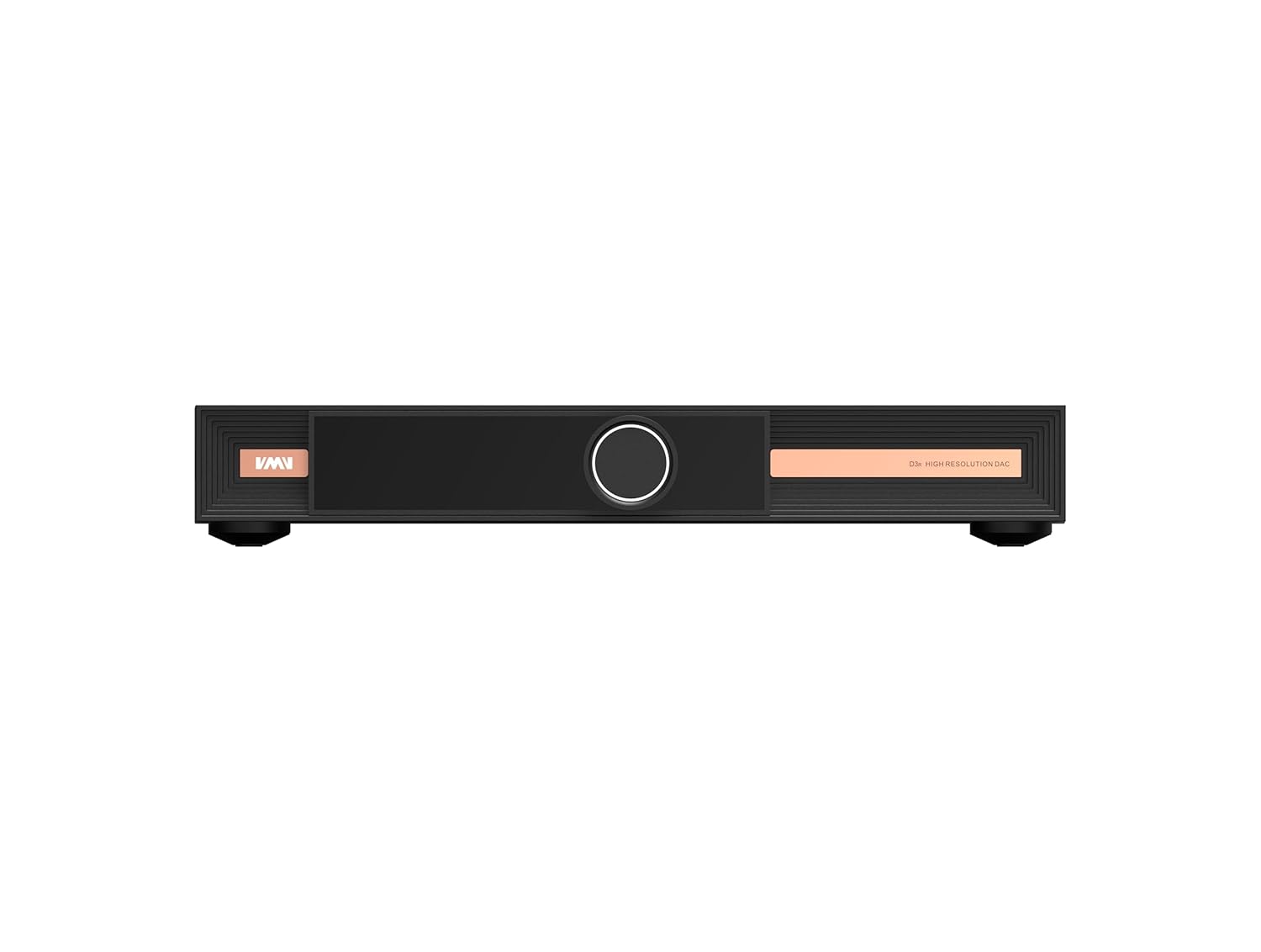
The SMSL D1 is a premium desktop digital-to-analog converter designed for audiophiles, music producers, and discerning listeners who demand high-resolution audio. It's built for anyone with a computer, phone, or tablet who wants to unlock the full potential of their music collection and experience studio-quality sound at home.
The standout feature is the ROHM BD34352EKV DAC chip, which delivers exceptional audio fidelity with a THD+N rating of just 0.00038% and an impressive SNR of 126dB. This translates to clean, detailed sound with minimal distortion and noise. The D1 supports cutting-edge formats including DSD512 and PCM at 32-bit/768kHz, ensuring compatibility with virtually any high-resolution audio file you own.
Build quality is excellent, featuring a CNC-machined aluminum alloy chassis that feels substantial and professional. The touch-control interface is intuitive, and the compact design makes it easy to place on a desk, bookshelf, or audio cabinet without taking up valuable space. The XMOS XU-316 firmware provides flexible multi-input options via USB, optical, and coaxial connections, making it compatible with computers, tablets, TVs, and other audio devices.
One consideration is that Windows users need to install drivers, whereas macOS and Linux systems work plug-and-play. Additionally, as a relatively new product, it lacks customer reviews, so early adopters won't have extensive user feedback to reference. The price point is premium for a desktop DAC, though justified by the high-end components and performance specifications.
The SMSL D1 is an excellent investment for anyone serious about audio quality. It delivers genuine Hi-Res audio performance in a compact, stylish package that integrates seamlessly into any setup. Whether you're a professional audio engineer or an audiophile seeking to elevate your listening experience, this DAC delivers measurable improvements in sound clarity and detail.
Core Audio Specs: DAC Chip: ROHM BD34352EKV, Firmware: XMOS XU-316, THD+N: 0.00038%, SNR: 126dB
Supported Formats: DSD512, PCM 32-bit/768kHz sampling rate
Connectivity: USB, Optical, Coaxial inputs, RCA stereo output
Power Requirements: USB bus-powered (5V DC minimum), no external power adapter needed
Compatibility: Windows, macOS, Linux (Windows requires driver installation)
Design: CNC-machined anodized aluminum alloy chassis, touch-control buttons, compact form factor
Channels: Stereo output, 8-channel internal architecture
Package: Includes USB-A to USB-C data cable
Who Should Buy: PC and Mac users, audiophiles, music producers, professional audio engineers, and anyone seeking high-resolution audio quality. Ideal for desktop listening setups where sound quality is a priority.
Who Might Skip It: Casual listeners on a tight budget, those needing portable solutions, or users unwilling to install drivers on Windows systems.
Setup Considerations: The D1 is plug-and-play on macOS and Linux. Windows users should allow time for driver installation. Connect via USB to your computer or use optical/coaxial inputs from other devices. Power is supplied entirely through the USB connection, eliminating cable clutter.
Pairing Recommendations: Works best with quality headphones or powered speakers capable of handling high-resolution audio. Pair with a good USB cable for optimal performance. Compatible with high-end music players and streaming services that support Hi-Res formats.
Choosing Your Ideal Desktop DAC
Audio Chipset and Resolution Support
The core of any DAC is its digital-to-analog conversion chip. Models like the Fosi Audio ZD3 Desktop DAC Preamp use the high-performance ES9039Q2M, while others employ AKM or proprietary R2R designs, like the one in the FiiO K13. Each imparts a subtle character to the sound. More critical is the supported resolution; look for units that handle at least PCM 384kHz/32bit and DSD256 to future-proof your system for all high-res formats.
This ensures your DAC can decode the highest-quality files available today without downsampling. If maximum file compatibility is your goal, our broader roundup of the best High-Res DACs provides further insight into this essential specification.
Connectivity and System Integration
Consider all the sources you want to connect. A basic DAC may only have USB, while comprehensive models add optical, coaxial, and even HDMI ARC for televisions. Outputs are equally important: standard RCA jacks connect to amplifiers or powered speakers, while balanced XLR or 4.4mm outputs offer superior noise rejection for critical listening. If you plan to use headphones, verify the unit has a dedicated amp section with enough power for your specific pair.
For a streamlined wireless setup, a DAC with built-in Bluetooth is invaluable. Explore dedicated options in our guide to the best desktop DACs with bluetooth. Also, ensure you have the right digital cables; a unit with optical input pairs perfectly with sources discussed in our feature on the best DACs with optical input.
Form Factor and User Experience
Your desktop space and preferred interaction style matter. Compact units like the Fosi Audio Q6 Mini Desktop DAC tuck away neatly, while larger models with displays and control knobs become a central part of your setup. Features like a physical volume knob, remote control, or even a parametric EQ, as seen on the FiiO K13, greatly enhance daily use. The build quality, from all-metal chassis to the feel of the controls, contributes to long-term satisfaction.
Balanced vs. Single-Ended Design
This technical distinction can impact performance in longer cable runs or noisy environments. A fully balanced DAC, like the TOPPING DX5 II, uses separate circuits for the positive and negative phases of the audio signal, reducing interference and potentially offering lower distortion. For most desktop setups with short cable runs, a quality single-ended DAC is perfectly sufficient. However, if you are building a high-end system or have experienced noise issues, investing in a balanced design can provide a cleaner signal path.
Final Thoughts
Upgrading to a dedicated desktop DAC is one of the most impactful steps you can take to enhance your digital music enjoyment. The right model acts as a precise translator, revealing nuances and dynamics often lost with onboard audio. For users seeking an all-in-one powerhouse with extensive inputs and a brilliant display, the TOPPING DX5 II Hi-Res DAC & Headphone Amp Combo is a compelling choice. Conversely, if your priority is exceptional value and simplicity in a compact form, the Fosi Audio Q6 Mini Desktop DAC delivers remarkable performance without complicating your desk. Whichever path you choose, you are investing in a richer, more engaging listening experience for years to come. For a complete overview of this product category, visit our main HiFi DAC page.
Frequently Asked Questions
Do I need a separate amplifier if my DAC has a headphone output?
Many desktop DACs, like the Fosi Audio K7, include a built-in headphone amplifier powerful enough for most headphones. Check the output power specifications against your headphones’ impedance and sensitivity. If you own very demanding, high-impedance headphones, a dedicated standalone amplifier might still be beneficial for optimal control and dynamics.
What is the difference between a DAC for a stereo system and one for headphones?
The core DAC function is identical. The key difference is the output stage. A DAC designed for a stereo system, like the Fosi Audio ZD3, focuses on clean line-level outputs (RCA/XLR) to connect to an external amplifier or powered speakers. A DAC with a headphone amp includes a more powerful output circuit specifically designed to drive headphones directly, often with a front-panel jack and volume control.
How do I connect a desktop DAC to my computer and speakers?
The process is straightforward. First, connect the DAC to your computer using a USB cable (usually provided). Then, connect your powered speakers or amplifier to the DAC’s output jacks, typically RCA. Select the correct input on your DAC and set your computer’s audio output to the DAC. Most modern DACs are plug-and-play, though some high-resolution models may require a driver for Windows systems.
Will a high-end DAC make a difference with streaming services?
Yes, absolutely. While you are limited by the stream’s bitrate, a quality DAC will more accurately convert that digital data into an analog signal. It reduces jitter and electrical noise from your computer, resulting in a clearer, more defined sound with better stereo imaging. The improvement is often immediately noticeable, even with high-quality streams from services like Tidal or Qobuz.




Write Your Review
No reviews yet. Be the first to share your experience!