

Your Xbox Series X is a powerhouse, capable of delivering stunning 4K visuals and smooth frame rates. But are you truly experiencing everything it has to offer? The built-in TV speakers or a basic soundbar often can’t keep up with the nuanced audio landscapes of modern games. You miss the subtle footsteps creeping behind you, the immersive roar of an engine, or the full impact of a cinematic score.
This guide is for gamers ready to bridge that gap. We have reviewed a selection of home theater systems specifically evaluated for their compatibility and performance with the Xbox Series X. From streamlined soundbars to expansive component setups, find the audio solution that turns your living room into a true gaming command center. If you’re also a PlayStation enthusiast, our related guide on the best home theater systems for PS5 explores similar audio excellence for that platform.

Pros
- Intuitive setup process with color-coded connections and an on-screen wizard that guides you step by step
- Exceptional audio performance with support for Dolby Atmos, DTS:X, and virtual height channels for cinema-grade immersion
- Versatile connectivity including phono input, eARC, 6 HDMI ports, Bluetooth, Wi-Fi, and AirPlay 2
- HEOS multi-room streaming and broad voice assistant support add serious smart home value
- Solid build quality and a compact form factor compared to older generation receivers
Cons
- The HEOS app and on-screen interface feel dated and can be clunky to navigate, especially for streaming configuration
- Older 4K TVs may experience compatibility issues with the advanced HDMI feature set, potentially requiring a TV upgrade
- Auto-calibration results may disappoint critical listeners, with some users preferring to manually tune speaker settings
The Denon AVR-X1700H is a 7.2 channel AV receiver aimed at home theater enthusiasts who want a powerful, future-ready centerpiece without spending on a flagship model. With 80 watts per channel, 8K HDMI support, and a rich suite of audio formats, it sits comfortably in the sweet spot between entry-level and premium receivers.
On the audio side, this receiver truly shines. Support for Dolby Atmos, DTS:X, DTS Virtual:X, and Dolby Atmos Height Virtualization means you can enjoy three-dimensional surround sound even in a room without dedicated overhead speakers. Real-world users consistently praise the theater-like experience it creates, particularly in 7.1.2 configurations with height channels.
Setup is one of the AVR-X1700H's strongest selling points. The color-coded rear panel, labeled speaker wire connections, and award-winning on-screen setup wizard make the installation process far less daunting than many competing receivers. Connectivity is equally impressive, offering six HDMI inputs, a phono input for turntables, AirPlay 2, Bluetooth, Wi-Fi, and dual subwoofer pre-outs, covering virtually every source a modern home theater might need.
The main drawback worth noting is the HEOS app and receiver interface, which several users describe as outdated and difficult to navigate. While the hardware performance is excellent, the software experience lags behind the overall quality of the unit. Additionally, users with older 4K televisions may encounter HDMI compatibility hurdles due to the advanced 8K HDMI specification.
Overall, the Denon AVR-X1700H delivers outstanding value for its class. It is a well-built, feature-rich receiver that performs reliably in real home theater environments. If you are upgrading from an older receiver or building a serious surround sound system for the first time, this Denon model is a highly recommended choice backed by strong user satisfaction.
Channels: 7.2 Channel | Power Output: 80W per channel | HDMI Ports: 6 In / 1 Out | Video Support: 8K/60Hz, 4K/120Hz, HDR10, HDR10+, Dolby Vision, HLG, H.264, H.265/HEVC
Audio Formats: Dolby Atmos, Dolby Atmos Height Virtualization, DTS:X, DTS Virtual:X | Wireless: Wi-Fi, Bluetooth, AirPlay 2 | Streaming: HEOS Built-in, Spotify, Amazon Music HD, TIDAL, Pandora, Deezer
Voice Control: Amazon Alexa, Google Assistant, Apple Siri, Josh.ai | Inputs: 2 Digital Optical, 2 Analog, 1 Coaxial, 1 Phono (MM/MC) | Pre-Outs: 2 Subwoofer Pre-Outs | eARC: Yes
Dimensions: 13.3"D x 17.1"W x 6"H | Weight: 19 lbs | Color: Black | Warranty: 3-Year Limited | Model: AVR-X1700H | UPC: 747192134600
If you are considering the Denon AVR-X1700H, it is best suited for buyers building or upgrading a dedicated home theater room with 5.1, 7.1, or 7.1.2 speaker configurations. It delivers the most value when paired with a modern 4K or 8K television that supports HDMI 2.1 features like VRR and ALLM, especially for gaming setups.
This receiver is an excellent fit for users who want multi-room audio capability without purchasing a separate streaming device. The HEOS ecosystem allows you to expand audio to other HEOS-compatible speakers throughout your home, making it a smart long-term investment for whole-home audio enthusiasts.
Vinyl listeners will appreciate the built-in phono stage, which supports both moving magnet and moving coil cartridges, though note that only one type can be used at a time. If you own a turntable and want to integrate it into a modern AV setup, this feature alone sets the AVR-X1700H apart from many competitors at this price point.
Buyers with older 4K televisions should verify HDMI compatibility before purchasing, as the advanced HDMI 2.1 feature set can occasionally cause handshake issues with legacy displays. If you are comfortable with manual speaker calibration, you may also want to plan to fine-tune the auto-calibration results for the best possible audio performance.
Choosing Your Xbox Series X Audio Upgrade
Audio Format Support: Dolby Atmos and Beyond
The Xbox Series X supports advanced audio formats like Dolby Atmos and DTS:X. These create a three-dimensional soundscape where audio can come from above and all around you. For gaming, this means pinpoint accuracy for directional cues like enemy gunfire or aircraft overhead. Ensure your chosen system supports these formats natively via HDMI eARC for the most immersive and lossless experience.
Latency and Game Mode Performance
<!–In fast-paced gaming, audio lag can be a serious disadvantage. Look for systems with a dedicated Game Mode or features like Auto Low Latency Mode (ALLM). These settings minimize processing delay, ensuring the sound you hear is perfectly synchronized with the action on screen. This is crucial for competitive multiplayer or rhythm games where timing is everything.
Channel Configuration and Room Fit
<!–Consider your space and desired immersion level. A 2.1 system (like the soundbars in our wider category) adds crucial bass but lacks true surround. A 5.1 system with rear speakers, whether wireless or wired, places you in the center of the action. For the ultimate experience, look for systems with upward-firing speakers for Dolby Atmos height effects. Your room size and layout will determine what configuration is practical and most effective.
Connectivity and Ease of Use
<!–Your ideal system should integrate seamlessly. HDMI eARC is the gold standard, carrying the highest quality audio from your TV to the sound system with a single cable. Wireless subwoofers and surround speakers reduce cable clutter. Also, consider control options, like compatibility with your TV remote or dedicated apps for fine-tuning EQ settings to suit different game genres. For more on advanced audio formats, explore our guide on the best home theater systems with DTS:X.
Final Thoughts
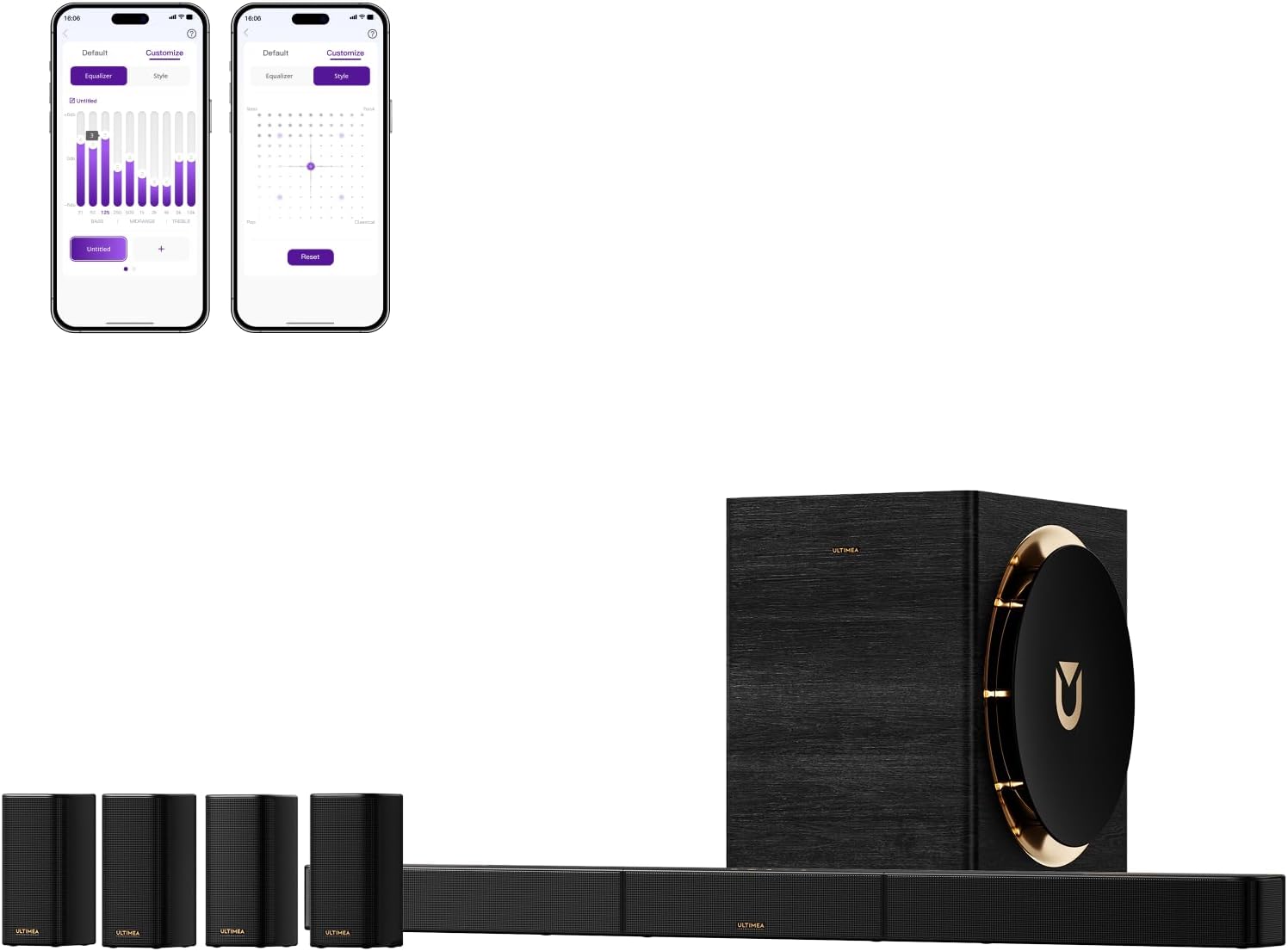
Upgrading your audio setup is a game-changer for the Xbox Series X, revealing details and immersion that visuals alone cannot provide. Whether you prioritize the streamlined, feature-rich immersion of a system like the ULTIMEA 5.1CH Surround Sound Bar System with Dolby or the expansive, powerful performance of a full component setup like the Klipsch Reference 5.2 Home Theater System, the right choice depends on your space, budget, and how deep you want to dive into the soundscape. Your next gaming session deserves nothing less.
Frequently Asked Questions
Do I need a special receiver for my Xbox Series X?
<!–Not necessarily. Many soundbars and home-theater-in-a-box systems connect directly to your TV via HDMI. The Xbox connects to the TV, and the TV passes the audio to the sound system. However, for the most flexible setup with multiple dedicated speakers, an AV receiver like the Denon model in our list provides extensive input and decoding options.
What’s more important for gaming, Dolby Atmos or high wattage?
<!–Both contribute to different aspects. Dolby Atmos provides object-based spatial accuracy, letting you hear exactly where sounds originate. High wattage and capable drivers ensure those sounds are delivered with clarity and impact, especially during explosive game sequences. Look for a system that offers a good balance of both for a complete experience.
Can I use these systems for movies and music as well?
<!–Absolutely. The systems reviewed here are designed as complete home theater solutions. Features like dedicated movie and music EQ modes, voice enhancement for dialogue, and support for streaming services make them excellent for all forms of entertainment. A great home theater system enhances everything you watch and listen to, not just games. For setups focused on larger screens, our review of the best home theater systems for projectors offers further insights.
How do I set up wireless rear speakers?
<!–Most systems with wireless surround speakers include dedicated rear units that pair automatically with the main soundbar or receiver. You simply place them behind or to the sides of your seating area, plug them into power, and they connect wirelessly. This eliminates the need to run long cables across your room, making for a much cleaner installation. Always consult the specific product’s manual for precise pairing instructions.




Write Your Review
No reviews yet. Be the first to share your experience!