

Your bedroom studio is a sanctuary for creativity, but cramped quarters demand smart gear choices. A clunky, intrusive microphone stand can quickly turn your compact workspace into a tangled mess. The right boom arm liberates your desk, positions your mic perfectly, and stays silent when you are live. This guide cuts through the noise to present verified options that deliver professional performance in personal spaces.
We have assessed ten leading models, focusing on stability, quiet operation, and space-saving designs. Whether you podcast, stream, or record vocals, one of these arms will elevate your setup. For those working in particularly tight environments, our review of the best microphone boom arms for small rooms offers additional focused recommendations.
Pros
- Exceptional build quality with alloy steel construction and reinforced springs for long-term durability
- Versatile compatibility with major microphone brands through included adapters and standard clips
- Smooth, quiet operation critical for professional recording without unwanted mechanical noise
- Compact foldable design saves desk space without compromising stability or load capacity
- Superior weight capacity compared to similarly priced alternatives on the market
Cons
- Desk clamp requires flat edges up to 2 inches thick, limiting compatibility with curved or slanted desk surfaces
- Requires manual assembly and adjustment to achieve optimal positioning for different microphone types
- Shock mount not included, requiring separate purchase for certain microphone models
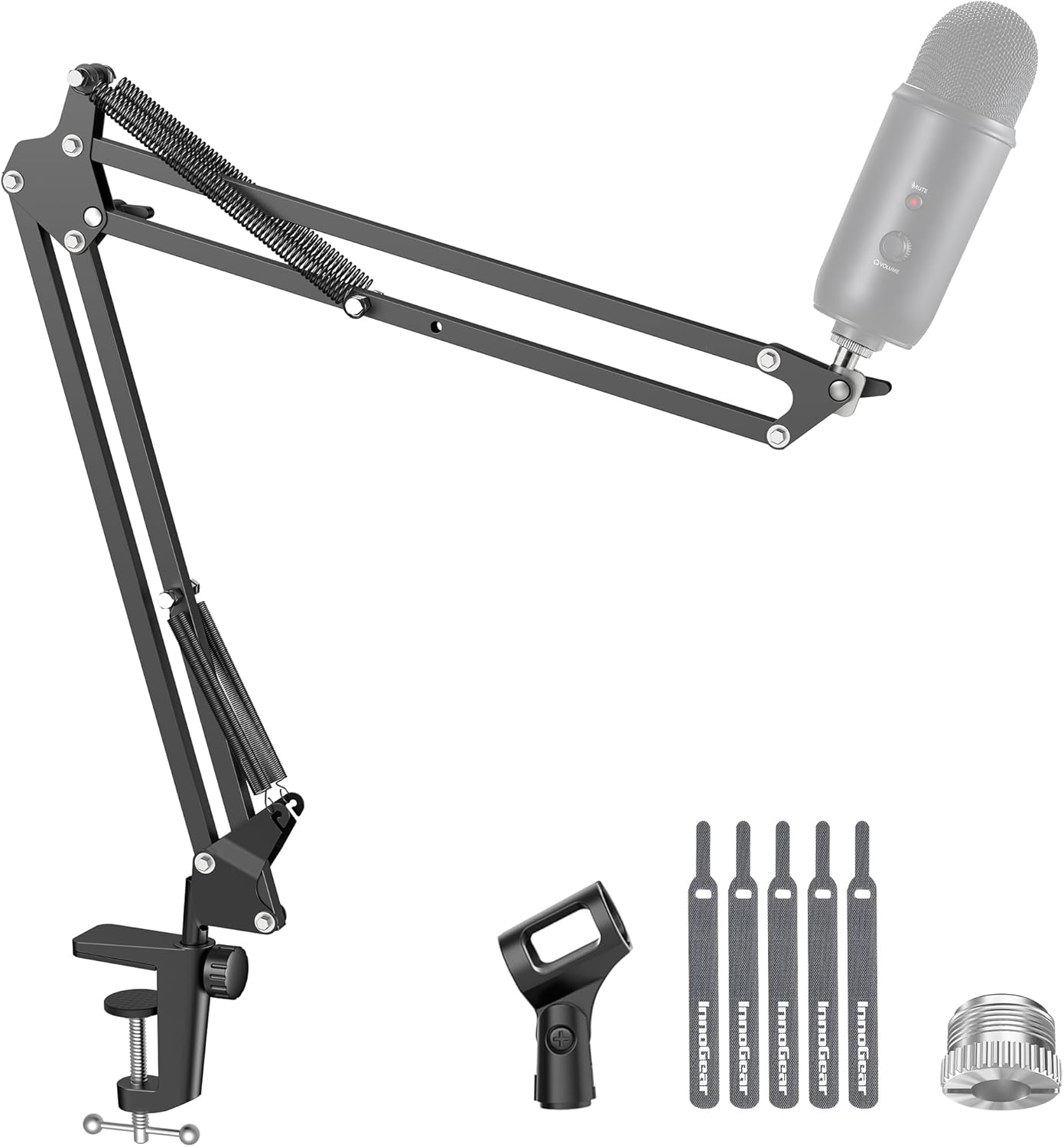
The InnoGear MU01 boom arm microphone stand is a professional-grade mounting solution designed for content creators, streamers, podcasters, and musicians who demand reliable microphone positioning. This desk-mounted arm accommodates popular USB microphones including Blue Yeti, Fifine, HyperX, and traditional XLR microphones with the included adapters.
The standout feature of this boom arm is its exceptional adjustability and build quality. With 360-degree base rotation, 135-degree back-and-forth extension, 180-degree vertical movement, and a 270-degree metal adapter, you can position your microphone precisely where needed. The 3.3lb weight capacity significantly exceeds standard competitors at 2.2lb, providing confidence for heavier microphone setups. The engineering specifically addresses a common flaw in other boom arms by eliminating the problematic knob on the arm shaft that causes spring deformation over time.
Build and design quality are exceptional for the price point. The alloy steel construction feels solid and substantial, while the super-strong springs enable silent, effortless positioning crucial for live recording sessions. The foldable design allows convenient storage when not in use, and the secure desk clamp grips edges up to 2 inches thick without wobbling. The included standard microphone clip and 5/8" to 3/8" adapter ensure compatibility with most popular microphone models.
Potential drawbacks include the desk clamp requirement for flat edges and the need for separate shock mount purchases for certain microphone models. The clamp design may not work with curved or slanted desk surfaces. Setup requires some manual adjustment to dial in your preferred microphone angle and height.
The InnoGear MU01 represents excellent value for anyone seeking a durable, feature-rich microphone boom arm. Its superior build quality, extensive adjustability, and broad microphone compatibility make it an ideal choice for serious content creators and recording enthusiasts.
Model: InnoGear MU01
Material: Alloy Steel with reinforced springs
Weight Capacity: 3.3 lbs (1.5 kg)
Dimensions: 15 x 1.5 x 4 inches
Maximum Height: 27.6 inches
Base Type: Desk clamp for edges up to 2 inches thick
Mount Thread Sizes: 3/8 inch and 5/8 inch
Adjustability: 360-degree base rotation, 135-degree extension, 180-degree vertical movement, 270-degree adapter rotation
Weight: 1.4 pounds
Compatibility: Blue Yeti, Fifine, HyperX, Shure SM58, Samson Q2U, and other standard microphones
Warranty: Manufacturer warranty included (does not cover microphones)
Who Should Buy: This boom arm is ideal for streamers, podcasters, content creators, musicians, and anyone requiring professional microphone positioning with space-saving storage. It works best with USB microphones like Blue Yeti, Fifine models, and HyperX gaming headset microphones, as well as traditional XLR microphones with adapters.
Desk Requirements: Ensure your desk has a flat edge between 0.5 and 2 inches thick for optimal clamp compatibility. Curved or slanted desk edges may not work with this clamp design.
Microphone Compatibility: Check your microphone's thread size (typically 3/8 inch or 5/8 inch). The included adapters cover most popular models, but verify compatibility before purchase if using less common microphone brands.
Setup Tips: Allow time for initial adjustment to find your preferred microphone height and angle. The boom arm's smooth operation means minimal repositioning is needed once properly configured. For heavy microphones near the 3.3lb limit, ensure the desk clamp is tightened securely.
Maintenance: Periodically check clamp tightness and spring tension. The innovative design minimizes spring wear compared to competitors, but regular inspection extends product lifespan.
Choosing Your Bedroom Studio Boom Arm
Stability and Load Capacity
A wobbly arm is the enemy of clean audio. It transmits vibrations and can cause unwanted mic movement. Assess the construction materials and the maximum weight rating. Heavy microphones like the Shure SM7B require a robust arm, such as those with gear-lock mechanisms or reinforced steel.
Spring-loaded arms offer smooth adjustability, but over time, springs can weaken. For a permanent, sag-free setup, consider a mechanically locked design. Your microphone is an investment; protect it with a stand that holds firm. Pairing your stable setup with a quality isolation shield further enhances your recording environment.
Noise Dampening and Silent Operation
Creaks, clicks, and spring noises are unacceptable during a recording. Look for arms with internal damping, neoprene covers, or pneumatic systems. These features absorb the sounds of adjustment, allowing you to reposition your mic mid-session without ruining a take.
This silent operation is a hallmark of professional-grade arms. It ensures that the only sound captured is your voice or instrument. When building your complete mic accessories kit, prioritize components that contribute to a noise-free signal chain.
Reach, Profile, and Desk Compatibility
<!–Measure your space before you buy. Consider how far the arm needs to extend to reach your mouth from its mounting point. Low-profile arms tuck neatly under monitors, preserving your screen real estate and webcam view. Verify the clamp thickness to ensure it fits your desk edge securely.
A 360-degree rotation base offers maximum flexibility, letting you swing the mic completely out of the way when not in use. Integrated cable management is not just for looks; it prevents snags and keeps your workspace organized. For a streamlined audio workflow, explore how a good audio interface integrates with your microphone and arm setup.
Final Thoughts
Selecting the right boom arm transforms your bedroom studio from a makeshift setup into a professional workspace. For creators seeking broadcast-standard smoothness and damping, the RØDE PSA1+ Professional Studio Boom Arm remains an industry benchmark. If your priority is a sleek, low-profile design that maximizes desk space and minimizes visual clutter, the Elgato Wave Mic Arm Low Profile Microphone Boom is an excellent choice. Either option will provide the reliable, quiet support your microphone deserves.
Frequently Asked Questions
Can a microphone boom arm damage my desk?
Quality boom arms include padded clamps designed to grip securely without marring the desk surface. Always check the maximum clamp thickness against your desk edge. For added protection, you can place a soft cloth between the clamp and the desk.
What is the advantage of a low-profile microphone arm?
A low-profile arm positions the microphone boom below your shoulder line. This keeps it out of your webcam frame for a cleaner look on stream and prevents it from blocking your monitor. It is ideal for content creators who value an unobstructed view.
Do I need a shock mount if I have a boom arm?
Yes, a shock mount is still recommended. While a stable arm reduces desk-borne vibration, a shock mount isolates the microphone from high-frequency noises and handling sounds. They work together for the cleanest possible audio. For optimal performance, consider a pop filter with a flexible arm to complete your setup.
How do I stop my boom arm from sagging over time?
Sagging is often caused by spring fatigue in traditional arms. To prevent this, look for models with a gear-lock mechanism or adjustable tension knobs that can be tightened. These designs provide mechanical locking, ensuring your microphone stays exactly where you position it.







Write Your Review
No reviews yet. Be the first to share your experience!