

Your vinyl collection holds more than music, it contains memories. Yet, physical records are vulnerable to wear, and their portability is limited. Converting your albums to digital files preserves those memories forever and lets you enjoy your favorite tracks anywhere. This guide is for anyone looking to bridge the gap between classic analog warmth and modern digital convenience. We’ve reviewed the top turntables designed specifically for this task, focusing on the critical features that make the transfer process seamless and high-quality.
Whether you’re a seasoned audiophile aiming for archival-quality rips or a casual listener wanting to save a cherished collection, the right equipment makes all the difference. The following comparison table provides a clear overview of our top selections, all validated for their digitizing capabilities.
How to Choose a Turntable for Digitizing Vinyl
USB Output: The Direct Connection
The most straightforward path from vinyl to computer is a USB output. This feature allows you to connect the turntable directly to your PC or Mac with a standard cable. Models like the Audio-Technica AT-LP120XUSB-BK Direct-Drive include this capability, often paired with free recording software recommendations. When reviewing a turntable for digitizing, confirm the USB output type and any included software compatibility to ensure a smooth workflow.
For the highest quality transfers, consider a model that also works with an external Digital-to-Analog Converter (DAC). While many turntables have a built-in phono stage, an external DAC can further refine the signal. Explore our guide on the best turntables with Built-In DACs for specialized options.
Drive Type: Stability and Fidelity
Your choice between belt-drive and direct-drive impacts the digitizing process. Direct-drive turntables, such as the Pioneer DJ PLX-500, offer immediate start-up and consistent speed, which is excellent for precise, track-by-track recording. Belt-drive models are often praised for their vibration isolation, potentially reducing motor noise in your recordings. Consider your primary use, direct-drive is a robust choice for both digitizing and casual DJing, as highlighted in our resource for best Direct-Drive turntables for beginners.
Built-in Phono Preamp: Flexibility is Key
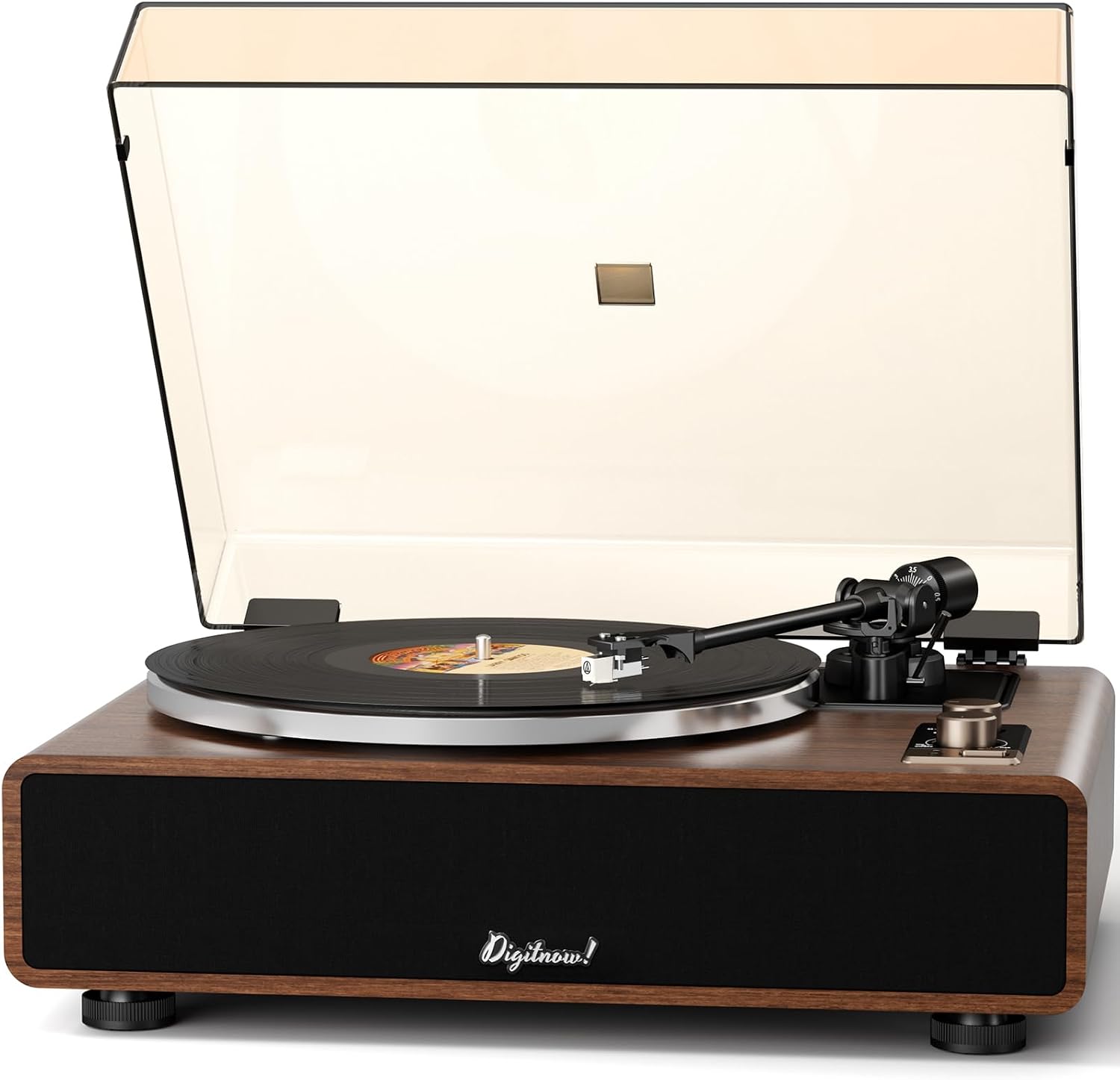
A switchable built-in phono preamplifier is a crucial feature. It gives you the flexibility to connect your turntable to a wide range of audio systems. You can use the LINE output to connect directly to powered speakers or a computer’s audio input, or use the PHONO output to connect to a dedicated receiver with a phono input for potentially superior sound. This versatility, found in models like the DIGITNOW Belt Drive Turntable, simplifies your setup whether you’re listening or recording.
Tonearm and Cartridge: Tracking Precision
The tonearm and cartridge are responsible for accurately reading the grooves in your record. A balanced tonearm with adjustable counterweight and anti-skate, like those on the Audio-Technica models, ensures the stylus applies the correct pressure. This minimizes wear on your precious vinyl during playback and recording. A quality moving magnet cartridge, such as the AT-VM95C or AT3600L found on many recommended models, provides the clarity and detail needed for a high-fidelity digital copy. For more on optimizing this component, see our turntable and Hi-Fi accessories category.
Final Thoughts
Preserving your vinyl collection digitally is a rewarding project that extends the life and reach of your music. For a feature-rich, professional-grade experience ideal for detailed archiving, we recommend the Audio-Technica AT-LP120XUSB-BK Direct-Drive. If your priority is a simple, all-in-one solution that also offers wireless listening flexibility, the 1 BY ONE High Fidelity Belt Drive Turntable with its built-in speakers presents an excellent value. Whichever path you choose, you’re taking a step to secure your audio legacy for years to come.
Frequently Asked Questions
What software do I need to digitize my records?
Many USB turntables recommend free, cross-platform software like Audacity. This powerful program allows you to record the audio stream, split tracks, remove pops and clicks, and export files in formats like MP3 or FLAC. Some manufacturers may provide their own basic software, but third-party options often offer more control over the final digital files.
Is a USB turntable good for everyday listening too?
Absolutely. Turntables with USB outputs are fully functional for regular playback. They include standard RCA outputs (often with a switchable preamp) to connect to your stereo system or powered speakers. The digitizing function is an added bonus that doesn’t compromise their performance as a primary record player. You can explore a wider selection for daily use in our main turntables category.
Can I digitize records at 78 RPM?
Yes, but you need a turntable that specifically supports 78 RPM playback. This speed was common on older shellac records. Some modern turntables, like the Audio-Technica AT-LP120XUSB-BK, include a 78 RPM setting. You will also likely need a specialized stylus (needle) designed for the wider grooves of 78s to get an accurate transfer and avoid damaging the records.
What’s the difference between PHONO and LINE output for recording?
The key difference is signal level and equalization. A PHONO signal is very low and requires amplification and RIAA equalization (a specific curve) to sound correct. A LINE output is a standard, stronger audio signal. For digitizing, using the turntable’s LINE output (if it has a built-in preamp) is often simplest, as it connects directly to a computer’s line-in port. Using PHONO requires an external preamp or a sound card with a dedicated phono input.




Write Your Review
No reviews yet. Be the first to share your experience!