

Is your microphone taking up valuable desk real estate, with its cable creating a tangled mess that distracts from your content? For podcasters, streamers, and voice-over artists, a clean, professional workspace is crucial, and a dedicated boom arm is the upgrade that delivers it. This guide focuses on white microphone boom arms, a popular choice for matching light-colored aesthetics and reducing visual clutter in your recording environment. We have assessed the top models available to help you find a sturdy, adjustable solution that elevates your audio setup. For creators also considering different color schemes, you might explore options in our review of the best black microphone boom arms.
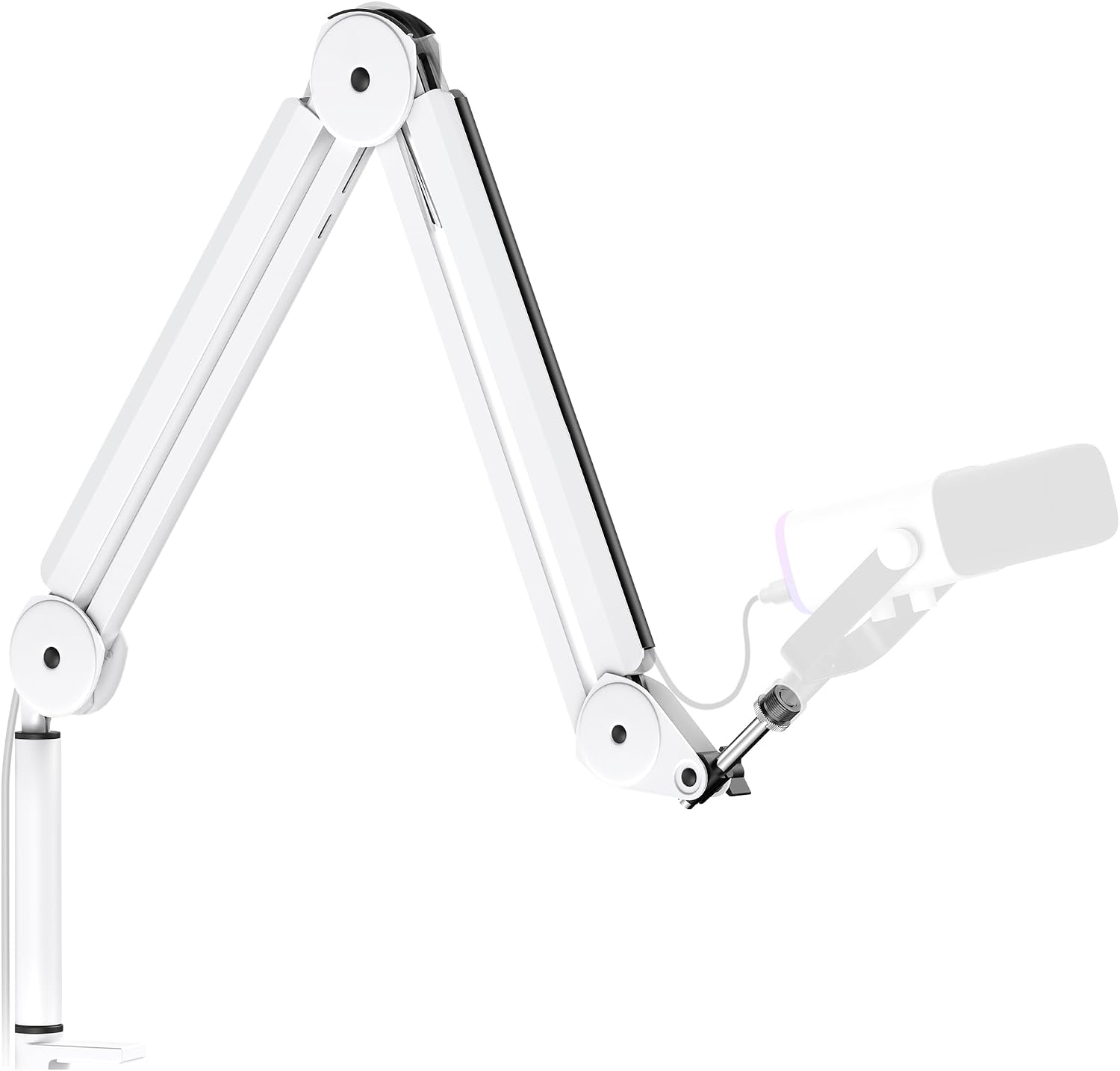
Pros
- Built-in cable management keeps USB and XLR cables organized and hidden from view
- Exceptional build quality with tight joints and zero wobble even under heavy microphone weight
- Smooth, silent adjustment in multiple directions without dropping or drifting during use
- Easy installation and universal compatibility with most professional and consumer microphones
- Excellent value compared to premium alternatives while delivering studio-grade stability
Cons
- Initial stiffness in movement may require a break-in period before achieving optimal fluidity
- Desk clamp limited to surfaces up to 2 inches thick, which may not fit all desk types
- Shock mount sold separately, requiring additional purchase for vibration isolation
The InnoGear MU-PSA28W is a professional microphone boom arm designed for content creators, podcasters, and recording engineers who need reliable mic positioning without sacrificing desk space. This heavy-duty stand works with virtually any microphone, from consumer-grade options like the Blue Yeti to professional equipment like the Shure SM7B, making it a versatile choice for any recording setup.
What sets this boom arm apart is its combination of practical design and engineering. The integrated cable management channels hide USB and XLR cables by simply removing rubber covers, creating a clean aesthetic that looks polished on camera. The adjustable range is impressive: 135 degrees of back-and-forth movement, 180 degrees of vertical adjustment, and a 360-degree rotatable base give you complete control over microphone placement. With a maximum horizontal reach of 32.3 inches and vertical reach of 37.4 inches, the arm easily positions your mic above monitors and away from your work surface.
Build quality is where this arm truly excels. Constructed from high-grade thickened steel with reinforced internal springs, it delivers a 3.5-pound weight capacity that handles everything from lightweight USB mics to heavy dynamic microphones without drooping or drifting. Users report that even after a year of daily use, the joints remain tight and wobble-free, indicating this is built to last. The smooth, silent operation makes it ideal for recording where mechanical noise would otherwise be captured.
The main drawback is initial stiffness in the arm's movement, though users note this typically resolves with regular use. Additionally, the desk clamp accommodates surfaces up to 2 inches thick, which may be limiting for some desk setups. The shock mount is sold separately, so budget-conscious buyers should factor that into their total investment.
For anyone serious about audio recording or streaming, the InnoGear MU-PSA28W delivers professional-grade stability and functionality at a mid-range price point. Its combination of smart cable management, universal compatibility, and rock-solid construction makes it a standout choice that justifies its investment for content creators of all levels.
Physical Specifications
Material: High-grade thickened alloy steel
Color: White
Maximum Height: 37.4 inches
Maximum Horizontal Reach: 32.3 inches
Arm Length: 14 inches (plus 6.3-inch extension riser included)
Base Type: Desk clamp (fits desks up to 2 inches thick)
Base Rotation: 360 degrees
Adjustment Range
Vertical Adjustment: 180 degrees
Back/Forth Adjustment: 135 degrees
Microphone Thread: 5/8 inch (universal standard)
Weight Capacity: 3.5 pounds maximum
Compatibility
Compatible with: Blue Yeti, Hyper X QuadCast, Blue SoloCast, Blue Snowball, AT2020, AT2020USB+, AT2035, ATR2500-USB, ATR2100-USB, Fifine K669B, Fifine AM8, Shure microphones, and most professional and consumer microphones with 5/8-inch threads
Note: Shock mount sold separately
Warranty and Support
Warranty: 12 months
Included Components: Boom arm, desk clamp, extension riser, rubber cable covers
Who Should Buy This Boom Arm?
The InnoGear MU-PSA28W is ideal for podcasters, live streamers, content creators, and recording engineers who need a professional-grade microphone stand that saves desk space. It's perfect if you use your desk for multiple purposes and need to position your mic out of the way when not recording. The universal 5/8-inch connector makes it compatible with most setups, whether you're using a Blue Yeti, Shure SM7B, or Fifine microphone.
Setup Considerations
Before purchasing, verify that your desk can accommodate the clamp (up to 2 inches thick). If your desk is thicker, you may need an alternative mounting solution. Consider whether you need a shock mount for vibration isolation, as this is sold separately. The 32.3-inch horizontal reach should clear most standard monitors, but measure your setup to ensure adequate clearance.
Maintenance Tips
To ensure optimal performance, allow the arm to break in during the first week of use, as initial stiffness typically resolves with regular adjustment. Keep cable management channels organized by using the included rubber covers to route cables neatly. Periodically check that the desk clamp remains tight, especially if you frequently move the arm to different positions.
Long-Term Value
This boom arm is built for durability and will likely serve you for several years with minimal maintenance. The heavy-duty steel construction and proven track record of users reporting consistent performance after extended use make it a solid long-term investment for serious content creators and audio professionals.

Pros
- Robust metal build provides rock-solid stability and reduces unwanted vibration noise during recording
- Impressive 360-degree horizontal and 220-degree vertical adjustability lets you position the mic exactly where you need it
- Low profile mounting keeps your desk clean and camera view unobstructed for professional streaming
- Built-in cable management and included adapters eliminate clutter and compatibility headaches
- Rotatable ball-head with multiple adapter options works with most standard microphone types
Cons
- The section near the C-clamp cannot be adjusted vertically, limiting positioning flexibility in that specific area
- Microphone not included, requiring separate purchase for a complete recording setup
- Random color selection for rotatable ball-head means you cannot guarantee matching your preferred aesthetic
The FIFINE BM88W is a professional-grade boom arm stand engineered for podcasters, streamers, and content creators who demand both quality and workspace efficiency. This low profile design mounts beneath your monitor, keeping your recording area clean and your camera view unobstructed. It's ideal for anyone building a compact home studio without sacrificing functionality or audio quality.
What sets the BM88W apart is its exceptional adjustability combined with solid construction. The 29-inch extension reach, 360-degree horizontal rotation, and 220-degree vertical tilt give you complete freedom to position your microphone at the perfect angle and distance. The heavy-duty metal frame minimizes vibration, which translates directly to cleaner, more professional recordings. These features work together to eliminate the guesswork from microphone placement.
Build quality is impressive throughout. The robust metal construction feels substantial and stable, even when fully extended. The rotatable ball-head provides precise positioning control, and the included adapters (1/4 inch to 3/8 inch and 3/8 inch to 5/8 inch) ensure compatibility with most standard microphones. Built-in cable management keeps your workspace tidy and maintains the professional appearance that matters during video calls and streams.
A few limitations exist worth noting. The section near the C-clamp cannot adjust vertically, which may restrict positioning in certain setups. The desk clamp requires desktops between 0.8 and 2.4 inches thick, so measure before purchasing. Additionally, the rotatable ball-head color is randomly assigned, so you may not get your preferred shade. The microphone itself is sold separately.
The FIFINE BM88W delivers excellent value for serious content creators seeking a reliable, adjustable boom arm that keeps their workspace organized and professional. Its combination of sturdy construction, thoughtful cable management, and comprehensive adjustability makes it a smart investment for anyone upgrading their recording setup.
Brand: FIFINE
Model: BM88W
Color: White
Material: Metal
Weight: 1300 g (2.9 lbs)
Dimensions: 13 x 11.6 x 4.1 inches
Extension Range: Up to 29 inches
Vertical Adjustment: 220 degrees
Horizontal Rotation: 360 degrees
Desk Clamp Compatibility: Desktop thickness 0.8 to 2.4 inches
Included Adapters: 1/4 inch to 3/8 inch, 3/8 inch to 5/8 inch
Package Contents: Boom arm stand, desk clamp, rotatable ball-head, Allen wrench, user manual
Who Should Buy This? The BM88W is perfect for podcasters, Twitch streamers, YouTube creators, and anyone recording voiceovers or music who wants professional results without a large footprint. It's especially suited for those with limited desk space who still need professional-quality microphone positioning.
Desk Compatibility: Before purchasing, measure your desk thickness. This boom arm requires desktops between 0.8 and 2.4 inches thick. Thinner desks or glass surfaces may not clamp securely.
Microphone Selection: This boom arm is compatible with most standard microphones using 3/8 inch or 5/8 inch threads. The included adapters cover most popular models, but verify your microphone's thread size before ordering.
Setup Considerations: The section near the C-clamp cannot tilt vertically, so plan your desk layout accordingly. Position the clamp where you have adequate vertical clearance for the boom arm to extend and adjust freely. Allow at least 29 inches of space in front of your desk for full extension.
Cable Management: Take advantage of the built-in cable management system. Route your XLR or USB cables through the designated channels to maintain that clean, professional appearance during streams and recordings.
How to Choose the Right White Boom Arm
Assess Build Quality and Stability
The foundation of any good boom arm is its construction. You need a stand made from robust materials, like thickened steel, that can securely hold your microphone without sagging or drifting.
A sturdy build minimizes unwanted vibrations and ensures your microphone stays precisely where you position it, which is essential for consistent audio quality during long recording sessions.
Evaluate Adjustability and Reach
Consider the range of motion you require. Look for arms that offer extensive vertical and horizontal adjustment, along with smooth, silent rotation at the base and joints.
This flexibility allows you to position the microphone perfectly for your posture, whether you are sitting, standing, or need it to extend over a large monitor, ensuring optimal mic placement every time.
Prioritize Integrated Cable Management
Confirm Compatibility and Mounting
A clean setup starts with hiding cables. The best white boom arms feature built-in channels or clips to route your microphone cable neatly along the arm’s length.
This thoughtful design eliminates cable snags and contributes to a streamlined, professional look on camera, which is especially important for live streamers and video creators.
Always verify the thread size on the mic holder. Most arms use a standard 5/8-inch connector, but having included adapters for 3/8-inch threads expands compatibility with a wider range of microphones.
Also, check the desk clamp’s thickness range to ensure it will fit securely on your workstation. A secure mount is vital for safety and stability, especially with heavier microphone models. For certain mics, pairing your arm with the right best microphone shock mounts for dynamic microphones can further enhance performance.
Final Thoughts
For creators seeking a clean, white aesthetic and professional functionality, both the FIFINE BM88W Low Profile Mic Boom Arm for Podcast and the InnoGear Mic Arm Microphone Boom Arm Cable are excellent validated choices. The FIFINE model excels with its space-saving low-profile design and comprehensive included adapters, ideal for tight setups. The InnoGear arm offers impressive reach and robust cable management channels for a supremely tidy desk. Your final decision should hinge on whether a compact footprint or maximum extension and cable concealment better serves your specific recording environment and workflow.
Frequently Asked Questions
Will a white microphone boom arm fit my Blue Yeti or other heavy microphone?
Yes, many high-quality white boom arms are specifically rated to handle popular heavy microphones like the Blue Yeti and Shure SM7B. It is crucial to check the product’s specified weight capacity, which should be clearly listed, to ensure it can support your specific microphone’s weight without issue.
How do I keep the cables tidy with a boom arm?
The most effective boom arms for cable management feature built-in channels or clips. You simply thread your microphone cable through these pathways along the arm’s length, which neatly conceals it and prevents tangling. This design is a key feature to look for when comparing models for a clean setup.
Can I use a shock mount with these white boom arms?
Absolutely. Most boom arms use a standard threaded connection that is fully compatible with aftermarket shock mounts. Using a quality shock mount can further isolate your microphone from desk vibrations and handling noise. For condenser mics, consider our guide to the best microphone shock mounts for condenser microphones for specific recommendations.
Are white boom arms harder to keep clean than black ones?
White surfaces can show dust more readily than darker colors. However, maintaining a white boom arm typically requires only occasional wiping with a dry or slightly damp cloth. The aesthetic benefit of a bright, clean look often outweighs this minimal maintenance for many users.


Write Your Review
No reviews yet. Be the first to share your experience!